Gaming Laptop Overheating: Causes and Fixes That Actually Work
By the Pixlaps team - Updated 2026-07-06
Key takeaways
- OKDust-clogged fans and old thermal paste are the most common causes of sudden overheating.
- OKUse balanced power modes when you do not need maximum frame rates; heat drops faster than performance in many games.
- OKCooling pads help airflow, but they cannot fix a blocked heatsink or failing fan.
- OKAvoid blind undervolting guides. Test stability carefully or use a technician if the laptop carries important work.
Start with airflow before software tweaks
Gaming laptops pull a lot of air through small vents. Dust, fabric fibres, and dried thermal paste slowly turn that cooling path into a bottleneck. If temperatures changed suddenly, inspect the vents and fan noise before changing settings.
Pixlaps checks thermals before listing gaming laptops, because overheating is one of the easiest ways to turn a powerful machine into a frustrating purchase.
Power profiles and fan behaviour
Performance modes let the CPU and GPU boost harder, which also means more heat. For study, browsing, and lighter games, a balanced mode can keep the laptop quieter while still feeling quick.
If the fan curve never ramps up under load, update the vendor control app or BIOS from the manufacturer site. Avoid random fan utilities unless you understand the model-specific risks.
Cooling pads and desk setup
A cooling pad works best when the laptop intake is on the bottom. Even a simple stand can help if it lifts the chassis enough for the fans to breathe. Soft beds and cushions are heat traps.
Undervolting caution
Undervolting can reduce heat on some models, but unstable settings can crash games or corrupt work. Change one setting at a time, run stability tests, and keep notes so you can revert.
When to seek service
If temperatures spike instantly, fans grind, or the laptop shuts down during normal gaming, stop pushing it. A clean, repaste, fan replacement, or heatsink inspection is safer than forcing more sessions through a failing cooling system.
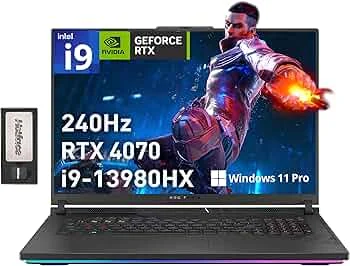
Gaming laptops with thermals checked by Pixlaps
Each listed unit is checked under load before it goes live.



Frequently Asked Questions
Is it normal for a gaming laptop to feel hot?
Yes, warm surfaces are normal under load, but thermal throttling, sudden shutdowns, or burning smells mean the cooling system needs attention.
Can a cooling pad fix overheating?
A cooling pad can improve airflow, but it will not fix clogged fins, dried paste, or a failing fan.
Does Pixlaps check gaming laptop thermals before delivery?
Yes. Pixlaps tests gaming laptops before listing and ships free across Pakistan with a 7-day free return window.