How to Check a Used Laptop Before Buying - the Pixlaps Checklist
By the Pixlaps team - Updated 2026-07-06
Key takeaways
- OKBattery health below 70% means the battery is near replacement - always ask for the measured percentage, not "battery is fine".
- OKCheck SSD health and power-on hours with a free tool like CrystalDiskInfo; heavy prior use shows up here first.
- OKTest every port, the full keyboard, and the hinge through its full range - these are the most expensive used-laptop repairs.
- OKBuy from a seller who publishes test results and offers real returns. Pixlaps tests every unit and gives a 7-day free return window.
Why a checklist matters for used laptops in Pakistan
Most used laptops in Pakistan are imported in bulk lots, and condition varies enormously between two units of the same model. A structured five-minute inspection catches the faults that cost the most to repair later.
This is the same checklist our technicians run before any laptop is listed on Pixlaps, so you can use it to evaluate a laptop from any seller - including ours.
1. Battery health
On Windows, run "powercfg /batteryreport" in the terminal and open the generated report. Compare Design Capacity with Full Charge Capacity - the ratio is the battery health percentage. Above 80% is good for a used unit; below 70% budget for a replacement.
Also note the cycle count where available: a battery that has completed many hundreds of charge cycles will degrade faster from here on.
2. SSD condition and usage history
Install CrystalDiskInfo and check the drive health percentage and power-on hours. A drive that reports thousands of power-on hours has lived a full office life already, even if the laptop body looks clean.
3. Screen, hinges, keyboard, and ports
Open a solid-colour full-screen image and look for dead pixels, pressure marks, and backlight bleed. Move the hinge through its full range and listen for creaks. Type on every key, then plug something into every USB port, the audio jack, and the HDMI output.
4. Thermals under load
Run a few minutes of a stress test or a demanding game. Fans should ramp up smoothly; instant thermal shutdown or a burning smell means the cooling system needs service.
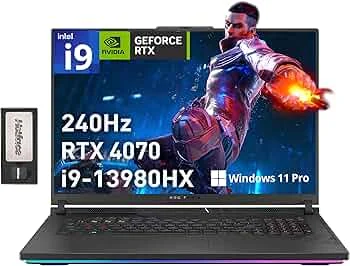
Tested used gaming laptops in stock right now
Every unit below passed the full checklist above before listing.



Frequently Asked Questions
Is it safe to buy a used laptop online in Pakistan?
Yes, if the seller publishes real test results and offers a genuine return window. Pixlaps tests every unit before listing, delivers free across Pakistan, and gives a 7-day free return period.
What battery health is acceptable in a used laptop?
Above 80% is good; 70-80% is acceptable at the right price; below 70% you should budget for a battery replacement soon.
How many SSD power-on hours are too many?
There is no hard limit, but a drive reporting many thousands of hours has seen heavy use. Weigh it together with the drive health percentage.